 b23161f36e
Uses async in all the the *arr interactions
Env vars are cached instead of function calls
Specter now used in all get ins
Adds profile selection, fixes #14
Shows all results by default, requesting a second time updates profile,fixes #13
Much better error handling from the HTTP request side of things, fixes #7




A Better Sonarr/Radarr Request Bot for Discord
Why does this exist
- Uses modern Discord slash commands and components, which provides a clean, performant UI on desktop and mobile
- Simple codebase, <1k lines of code which should make it easy to maintain
- Simple configuration, no need to have a whole web frontend
- Powered by Clojure and Discljord, a markedly good language 😛
Caveats
I wanted a clean app for the sole purpose of requesting movies/TV shows. I personally didn't need Siri, Overseerr, or Ombi integration - so those are missing in this bot (for now). There is only a boolean permission (role gated) for who has access to the bot, nothing fancy.
If any of these don't suit your fancy, check out Requestrr
Please consider this software "beta enough" as some of the error handling is pretty rough around the edges - however I've been using this for a bit now on my own server without any issues, but of course your mileage may vary.
Screenshots
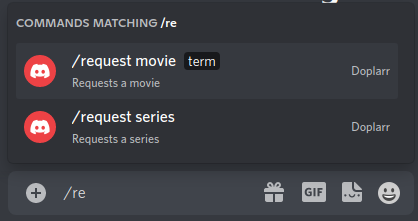
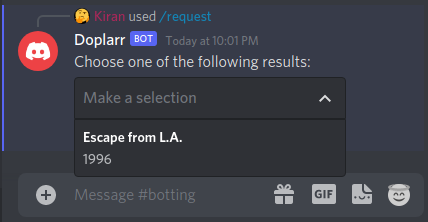
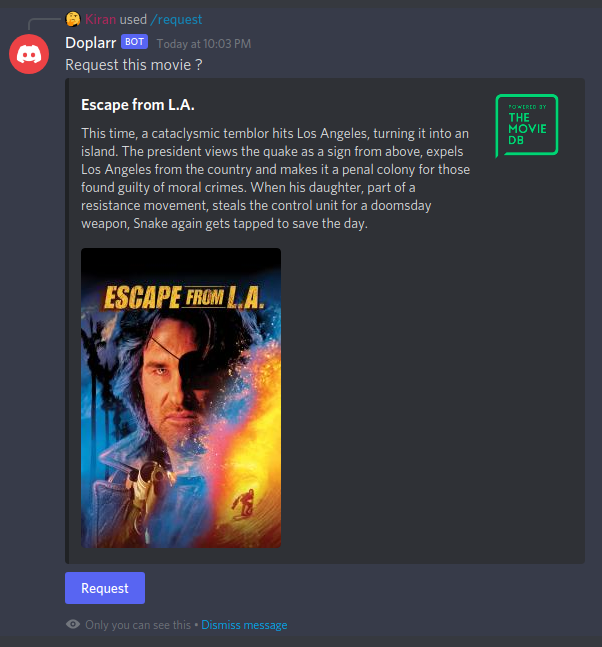
Setup
Discord
- Create a new Application in Discord
- Go to the Bot tab and add a new bot
- Copy out the token
- Go to OAuth2 and under "OAuth2 URL Generator", enable
applications.commandsandbot - Copy the resulting URL and use as the invite link to your server
In the server for which you will use the bot, you need to create a new role for your users. Then, grab that role id.
To do this:
- Enable Developer Mode (User Settings -> Advanced -> Developer Mode)
- Under your server settings, go to Roles, find the role and "Copy ID"
Sonarr/Radarr
- Copy out your API keys from Settings -> General
Running with Docker
Simply run with
docker run \
-e SONARR_URL='http://localhost:8989' \
-e RADARR_URL='http://localhost:7878' \
-e SONARR_API='sonarr_api' \
-e RADARR_API='radarr_api' \
-e BOT_TOKEN='bot_token' \
-e ROLE_ID='role_id' \
--name doplarr ghcr.io/kiranshila/doplarr:main
Building and Running Locally
You need the Clojure CLI tools to build
- Clone directory
clj -T:build uberjar
To skip the build, just download Doplarr.jar and config.edn from the releases
Configuring
- Fill out
config.ednwith the requisite things
Optional Settings
Also, I'm limiting the size of the results in the drop down to 10, this can be
set with :max-results in the config file of MAX_RESULTS as an environment variable.
Setting up on Windows
- Make a folder called Doplarr that contains the jar, the config file, and the
following batch file (something like
run.bat)
@ECHO OFF
start java -jar Doplarr.jar -Dconfig=config.edn
Setting up on Linux (as a systemd service)
- Create the file /etc/systemd/system/doplarr.service with the following
[Unit]
Description=Doplarr Daemon
After=syslog.target network.target
[Service]
User=root
Group=root
Type=simple
WorkingDirectory=/opt/Doplarr
ExecStart=/usr/bin/java -jar target/Doplarr.jar -Dconfig=config.edn
TimeoutStopSec=20
KillMode=process
Restart=always
[Install]
WantedBy=multi-user.target
- Customize the user, group, and working directory to the location of the jar
Then, as root
systemctl -q daemon-reloadsystemctl enable --now -q doplarr