mirror of
https://github.com/kiranshila/Doplarr.git
synced 2026-07-24 06:13:34 -04:00





A Better Sonarr/Radarr Request Bot for Discord
Why not Requestrr
- Uses modern Discord slash commands and components, which provides a clean, performant UI on desktop and mobile
- Simple codebase, <1k lines of code versus almost 10k lines of C# and 7k lines of JS
- Simple configuration, no need to have a whole web frontend
- Powered by Clojure and Discljord, a markedly better language 😛
Screenshots
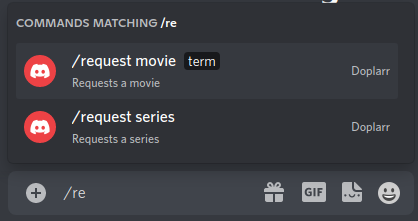
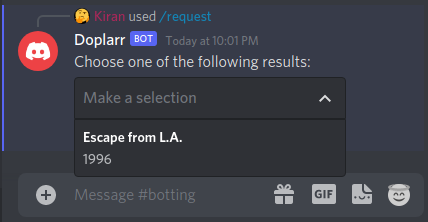
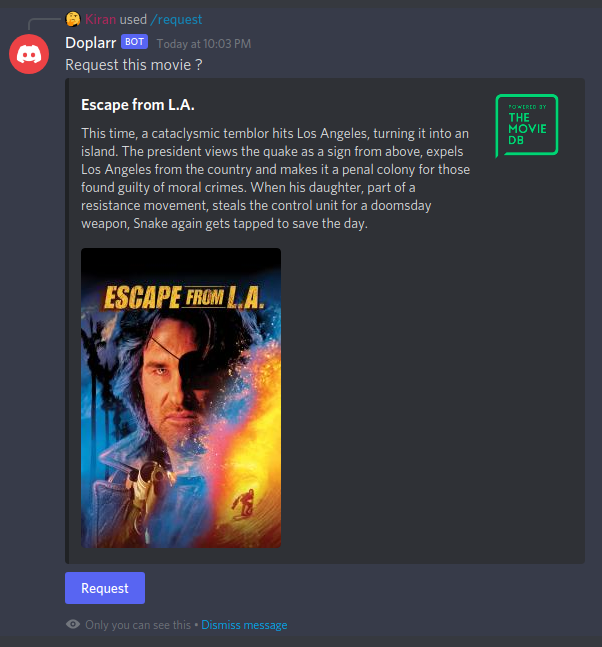
Shortcomings
I wanted a clean app for the sole purpose of requesting movies/TV shows. I personally didn't need Siri, Overseerr, or Ombi integration - so those are missing in this bot. If enough people would like to see those features, please request it. As such, there is only a boolean permission (role gated) for who has access to the bot, nothing fancy.
Setup
Discord
- Create a new Application in Discord
- Go to the Bot tab and add a new bot
- Copy out the token
- Go to OAuth2 and under "OAuth2 URL Generator", enable
applications.commandsandbot - Copy the resulting URL and use as the invite link to your server
In the server for which you will use the bot, you need to create a new role for your users. Then, grab that role id.
To do this:
- Enable Developer Mode (User Settings -> Advanced -> Developer Mode)
- Under your server settings, go to Roles, find the role and "Copy ID"
Sonarr/Radarr
- Copy out your API keys from Settings -> General
Running with Docker
Simply run with
docker run \
-e SONARR_URL='http://localhost:8989' \
-e RADARR_URL='http://localhost:7878' \
-e SONARR_API='sonarr_api' \
-e RADARR_API='radarr_api' \
-e MAX_RESULTS=10 \
-e BOT_TOKEN='bot_token' \
-e ROLE_ID='role_id' \
--name doplarr ghcr.io/kiranshila/doplarr:main
Building and Running Locally
You need the Clojure CLI tools to build
- Clone directory
clj -T:build uberjar
To skip the build, just download Doplarr.jar and config.edn from the releases
Configuring
- Fill out
config.ednwith the requisite things
Setting up on Windows
- Make a folder called Doplarr that contains the jar, the config file, and the
following batch file (something like
run.bat)
@ECHO OFF
start java -jar Doplarr.jar -Dconfig=config.edn
Setting up on Linux (as a systemd service)
- Create the file /etc/systemd/system/doplarr.service with the following
[Unit]
Description=Doplarr Daemon
After=syslog.target network.target
[Service]
User=root
Group=root
Type=simple
WorkingDirectory=/opt/Doplarr
ExecStart=/usr/bin/java -jar target/Doplarr.jar -Dconfig=config.edn
TimeoutStopSec=20
KillMode=process
Restart=always
[Install]
WantedBy=multi-user.target
- Customize the user, group, and working directory to the location of the jar
Then, as root
systemctl -q daemon-reloadsystemctl enable --now -q doplarr