mirror of
https://github.com/HirziDevs/PteroStats.git
synced 2026-08-04 19:25:06 -04:00

81 lines
3.2 KiB
Markdown
81 lines
3.2 KiB
Markdown
<div align="center">
|
|
|
|

|
|
|
|
## Language / Bahasa
|
|
[[English]](https://github.com/HirziDevs/PteroStats/blob/dev/README.md) | [[Indonesia]](https://github.com/HirziDevs/PteroStats/blob/dev/Indo.md)
|
|
|
|
</div>
|
|
|
|
## Introduction
|
|
PteroStats is a bot designed to check Pterodactyl Panel and Nodes status and post it to your discord server
|
|
|
|
## Installation
|
|
|
|
### Getting apikey from pterodactyl
|
|
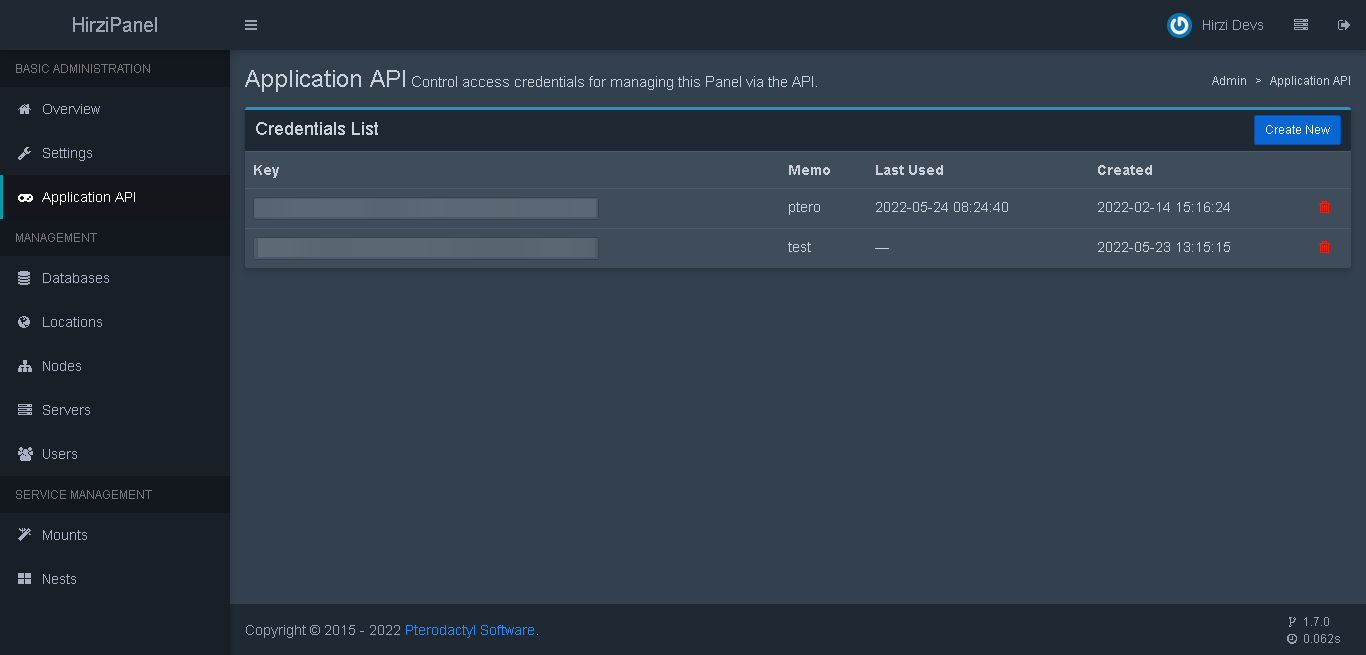
- Go to your `pterodactyl admin page` and go to `Application API`.
|
|
|
|

|
|
|
|
- Click on the `Create New` button
|
|
|
|
|
|
|
|
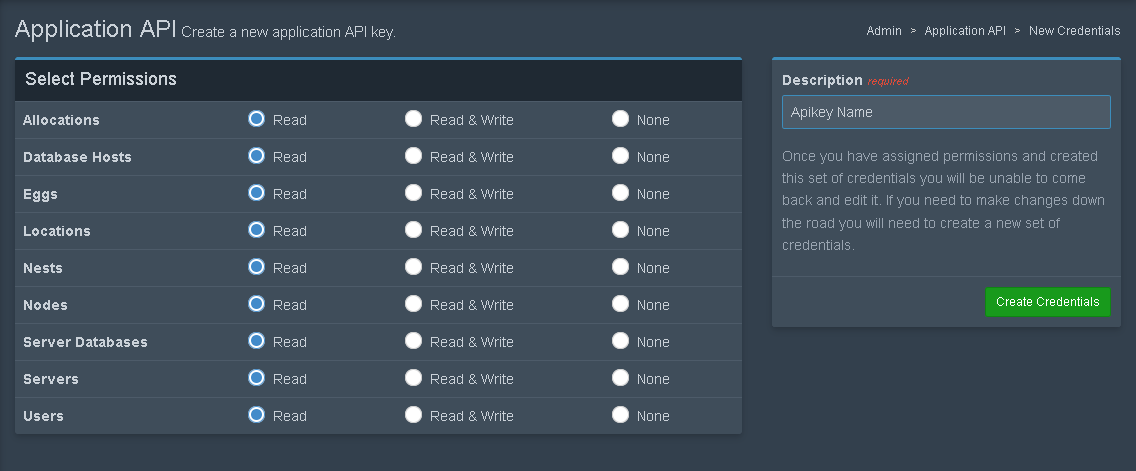
- Set all options permission to `read` and for description you can put whatever you want
|
|
|
|
|
|
|
|
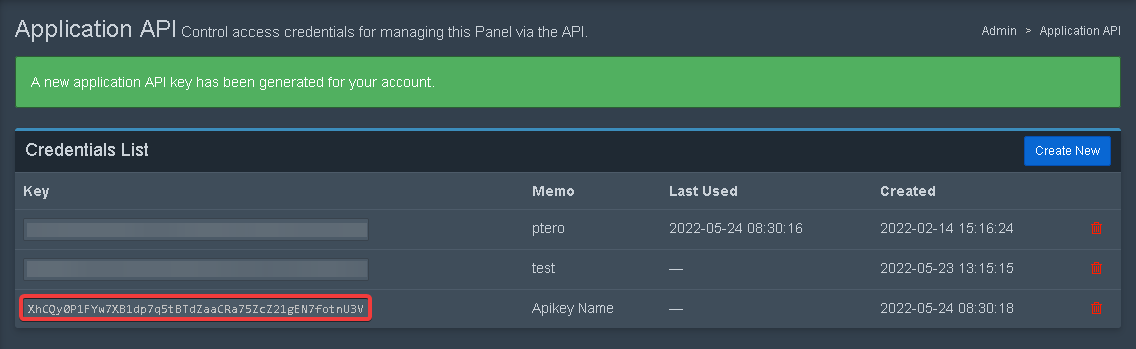
- Copy the apikey.
|
|
|
|
|
|
|
|
### Creating Discord Bot
|
|
Please refer to [this website](https://discordjs.guide/preparations/setting-up-a-bot-application.html)
|
|
|
|
### Inviting Discord Bot
|
|
Please refer to [this website](https://discordjs.guide/preparations/adding-your-bot-to-servers.html)
|
|
|
|
### Getting Channel ID
|
|
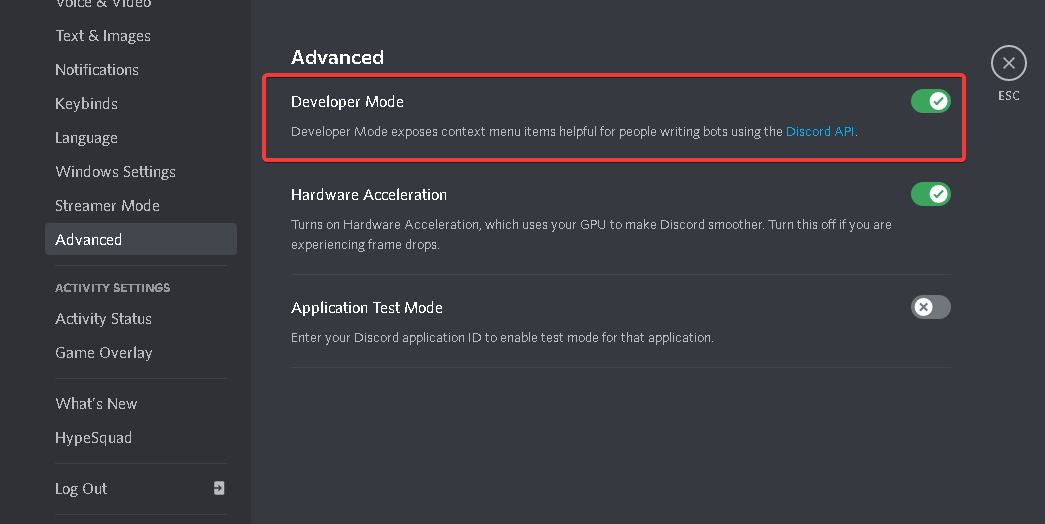
1. Enable Developer Feature at your discord settings
|
|
|
|
|
|
|
|
2. Right Click text channel and select `Copy ID`
|
|
|
|

|
|
|
|
### Starting bot
|
|
- Put discord bot token in `config.yml` at `token line`.
|
|
- Put your pterodactyl `apikey` and `url` in `config.yml` at `panel line`.
|
|
- Copy `channel id` from your discord server and put it in `config.yml` file at `channel line`.
|
|
- Run `npm install` in the root directory of the bot files.
|
|
- Run `node index` and you are done.
|
|
|
|
if you need help contact me on discord `Hirzi#8701` or join [our discord support server](https://discord.gg/zv6maQRah3)
|
|
|
|
### Using Custom Emoji
|
|
1. type `\` in guild that has custom emoji you want
|
|
|
|

|
|
|
|
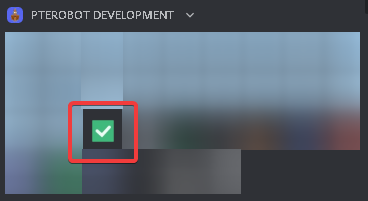
2. Select custom emoji you want
|
|
|
|
|
|
|
|
3. Copy the text!
|
|
|
|

|
|
|
|
## Admin Apikey Permission
|
|
|
|
enable `read` on all options, if still didn't work enable `read & write` on all options
|
|
|
|

|
|
|
|
## Links
|
|
|
|
- [Pterodactyl Panel](https://pterodactyl.io)
|
|
- [Pterodactyl Api Documentation](https://dashflo/docs/api/pterodactyl/v1)
|
|
- [Pterodactyl Discord Server](https://discord.gg/pterodactyl)
|
|
- [PteroBot Support Server](https://discord.gg/zv6maQRah3)
|
|
- [PteroBot Support Server (Indonesia)](https://discord.gg/EYaFB7WSg6) |