mirror of
https://github.com/seriousm4x/UpSnap.git
synced 2026-03-31 06:24:09 -04:00

129 lines
5.2 KiB
Markdown
129 lines
5.2 KiB
Markdown
<div align="center" width="100%">
|
|
<img src="frontend/static/gopher.svg" width="150" />
|
|
</div>
|
|
|
|
<div align="center" width="100%">
|
|
<h2>UpSnap</h2>
|
|
<p>A simple wake on lan web app written with SvelteKit, Go, PocketBase and nmap.</p>
|
|
<a target="_blank" href="https://github.com/seriousm4x/upsnap"><img src="https://img.shields.io/github/stars/seriousm4x/upsnap" /></a>
|
|
<a target="_blank" href="https://github.com/seriousm4x/UpSnap/releases"><img src="https://img.shields.io/github/downloads/seriousm4x/upsnap/total" /></a>
|
|
<a target="_blank" href="https://github.com/seriousm4x/UpSnap/releases"><img src="https://img.shields.io/github/go-mod/go-version/seriousm4x/UpSnap?filename=backend/go.mod" /></a>
|
|
<a target="_blank" href="https://github.com/seriousm4x/UpSnap/releases"><img src="https://img.shields.io/github/v/release/seriousm4x/upsnap?display_name=tag" /></a>
|
|
<a target="_blank" href="https://github.com/seriousm4x/UpSnap/actions"><img src="https://github.com/seriousm4x/upsnap/actions/workflows/release.yml/badge.svg?event=push" /></a>
|
|
<a target="_blank" href="https://github.com/seriousm4x/UpSnap/commits/master"><img src="https://img.shields.io/github/last-commit/seriousm4x/upsnap" /></a>
|
|
</div>
|
|
|
|
## ✨ Features
|
|
|
|
- Dashboard to wake up devices with one click
|
|
- Set timed wake and shutdown events via cron
|
|
- Add custom ports to devices which will be pinged
|
|
- Discover devices by scanning network
|
|
- User/Password or OIDC protected login
|
|
- Dark/light or system prefered color scheme
|
|
- [Docker images](https://github.com/seriousm4x/UpSnap/pkgs/container/upsnap) for amd64, arm64, arm/v7, arm/v6
|
|
|
|
## 📸 Screenshots
|
|
|
|
| Dark | Light |
|
|
| ------------------------------ | ------------------------------- |
|
|
|  |  |
|
|
|  |  |
|
|
|  |  |
|
|
|  |  |
|
|
|
|
## 🚀 Run the binary
|
|
|
|
Just download the latest binary from the [release page](https://github.com/seriousm4x/UpSnap/releases) and run it `./upsnap serve --http=0.0.0.0:8090`.
|
|
|
|
For more options check `./upsnap --help` or visit [PocketBase documentation](https://pocketbase.io/docs).
|
|
|
|
If you need network discovery, make sure to have `nmap` installed and run upsnap as root/admin.
|
|
|
|
## 🐳 Run in docker
|
|
|
|
You can use the [docker-compose](docker-compose.yml) example. See the comments in the file for customization.
|
|
|
|
If you want to change the port, change the following (5000 in this case):
|
|
|
|
```yml
|
|
entrypoint: /bin/sh -c "./upsnap serve --http 0.0.0.0:5000"
|
|
healthcheck:
|
|
test: curl -fs "http://localhost:5000/api/health" || exit 1
|
|
interval: 10s
|
|
```
|
|
|
|
And if you need additional packages inside the container, do this:
|
|
|
|
```yml
|
|
entrypoint: /bin/sh -c "apk update && apk add --no-cache <YOUR_PACKAGE> && rm -rf /var/cache/apk/* && ./upsnap serve --http 0.0.0.0:8090"
|
|
```
|
|
|
|
You can search for your needed package [here](https://pkgs.alpinelinux.org/packages).
|
|
|
|
### Reverse Proxy
|
|
|
|
**Caddy example**
|
|
|
|
```
|
|
upsnap.example.com {
|
|
reverse_proxy localhost:8090
|
|
}
|
|
```
|
|
|
|
## 🔒 Authorisation
|
|
|
|
**Since version 3.1 authorisation is enabled by default.**
|
|
|
|
User management is done through the PocketBase webinterface at [http://localhost:8090/\_/](http://localhost:8090/_/). This is mainly for internal use, such as within a home or corporate network. For external use please see below.
|
|
|
|
- To manage users, click the "Collections" icon on the left and select "users".
|
|
- To manage admins, click the "Settings" icon on the left and select "Admin".
|
|
|
|
Api permissions listed by user role:
|
|
|
|
| Api | Unauthorized | Users | Admins |
|
|
| ---------------- | ------------ | ----- | ------ |
|
|
| List/Search Rule | ❌ | ✅ | ✅ |
|
|
| View Rule | ❌ | ✅ | ✅ |
|
|
| Create Rule | ❌ | ❌ | ✅ |
|
|
| Delete Rule | ❌ | ❌ | ✅ |
|
|
| Manage Rule | ❌ | ❌ | ✅ |
|
|
| Wake devices | ❌ | ✅ | ✅ |
|
|
| Shutdown devices | ❌ | ✅ | ✅ |
|
|
| Scan network | ❌ | ❌ | ✅ |
|
|
|
|
## 🌍 Exposing to the open web
|
|
|
|
Although UpSnap has user authorisation, it is **not recommended to expose it to the open web** and make it accessible by everyone!
|
|
|
|
**Reason**: The shutdown device command is basically a command piped to #sh (root if you run docker). If anyone gains unauthorized access and can abuse this api route in any way, the attacker has access to a (root) shell on your local network.
|
|
|
|
**Recommended**: If you need access from outside your network, please use a vpn. Wireguard or OpenVPN is your way to go.
|
|
|
|
## 🔧 Help developing
|
|
|
|
Fork this branch and clone it.
|
|
|
|
1. Start backend
|
|
|
|
```sh
|
|
cd backend
|
|
go mod tidy
|
|
go run main.go serve
|
|
```
|
|
|
|
2. Start frontend
|
|
|
|
```sh
|
|
cd frontend
|
|
pnpm i
|
|
pnpm run dev
|
|
```
|
|
|
|
Open up [http://localhost:5173/](http://localhost:5173/), create an admin user and add some devices.
|
|
|
|
## 🌟 Star History
|
|
|
|
[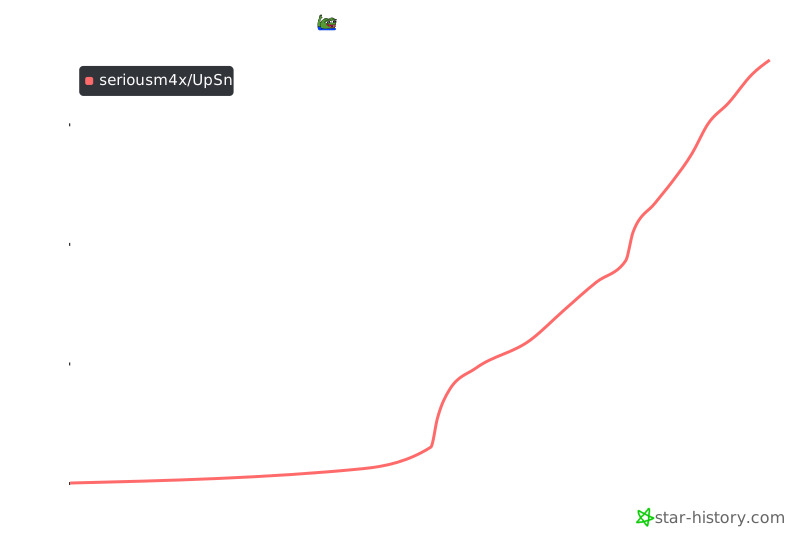](https://star-history.com/#seriousm4x/UpSnap&Date)
|