mirror of
https://github.com/antonkomarev/github-profile-views-counter.git
synced 2026-08-01 01:38:42 -04:00

50 lines
1.9 KiB
Markdown
50 lines
1.9 KiB
Markdown
# GitHub Profile Views Counter
|
|
|
|
It counts how many times your profile has been viewed.
|
|
|
|

|
|
|
|
## Usage
|
|
|
|
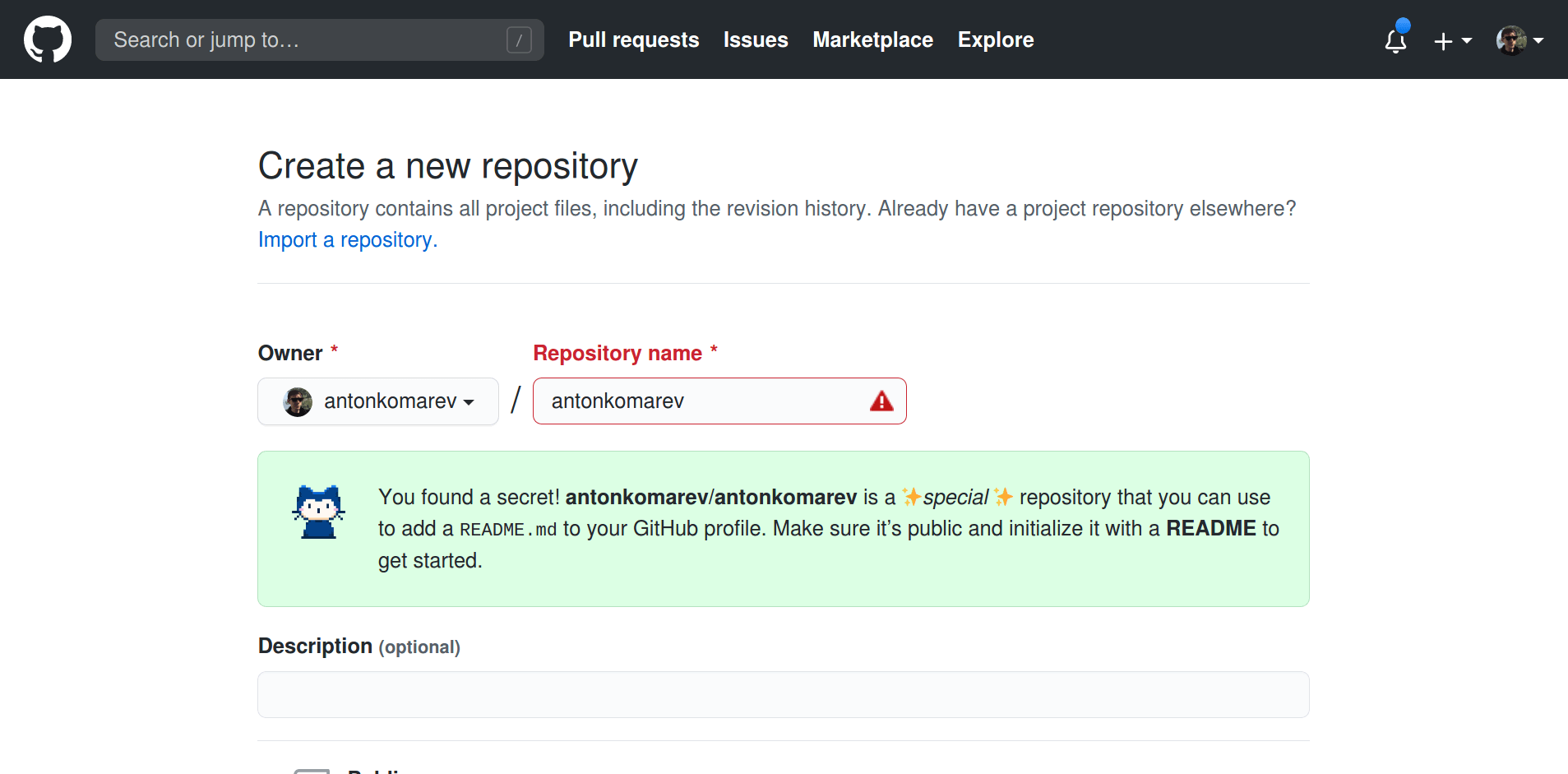
Create your GitHub Profile repository. GitHub magic will happen as soon as you will create a new repository named equally to your username.
|
|
|
|
|
|
|
|
My profile repository: [https://github.com/antonkomarev/antonkomarev](https://github.com/antonkomarev/antonkomarev)
|
|
|
|
### Cloud application
|
|
|
|
You need to add counter in README.md file in your profile repository via Markdown syntax:
|
|
|
|
```markdown
|
|

|
|
```
|
|
|
|
> Don't forget to replace example `username` with your own
|
|
|
|
This service launched as experiment. It is completely free. You can [help me cut server costs](https://paypal.me/antonkomarev) if you like this service. I don't track any personal information since GitHub proxies all images.
|
|
|
|
### Self-hosted application
|
|
|
|
Only `public/index.php` should be exposed.
|
|
|
|
You need to host this app on your server and display it via Markdown syntax:
|
|
|
|
```markdown
|
|

|
|
```
|
|
|
|
This URL will render SVG image with profile views counter and will increment it on each view of your profile.
|
|
|
|
#### Self-hosted application customization
|
|
|
|
By default, this application using file repository and counters stored in `storage/{$username}-views-count` files.
|
|
|
|
You can switch to database repository, then you will have to copy `.env.example` file to `.env` and fill in database configuration.
|
|
|
|
## License
|
|
|
|
- `GitHub Profile Views Counter` application is open-sourced software licensed under the [MIT license](LICENSE) by [Anton Komarev].
|
|
|
|
[Anton Komarev]: https://komarev.com
|